en deploy astrbot cli
Warning
You are deploying this project directly from source code. This tutorial requires you to have some technical background.
This tutorial assumes Python is already installed on your device with version >=3.10
If you have git installed on your computer, you can download the source code with the following command:
git clone https://github.com/AstrBotDevs/AstrBot.git
# The above code will pull the latest commit of the source code, if you need to pull the latest stable release version of the source code, you can use the following command:
# git clone --depth=1 --branch $(git ls-remote --tags --sort='-v:refname' https://github.com/AstrBotDevs/AstrBot.git | head -n1 | awk -F/ '{print $3}') https://github.com/AstrBotDevs/AstrBot.git
cd AstrBot
If you don't have git installed, please download and install it first.
Alternatively, download the source code directly from GitHub and extract it:
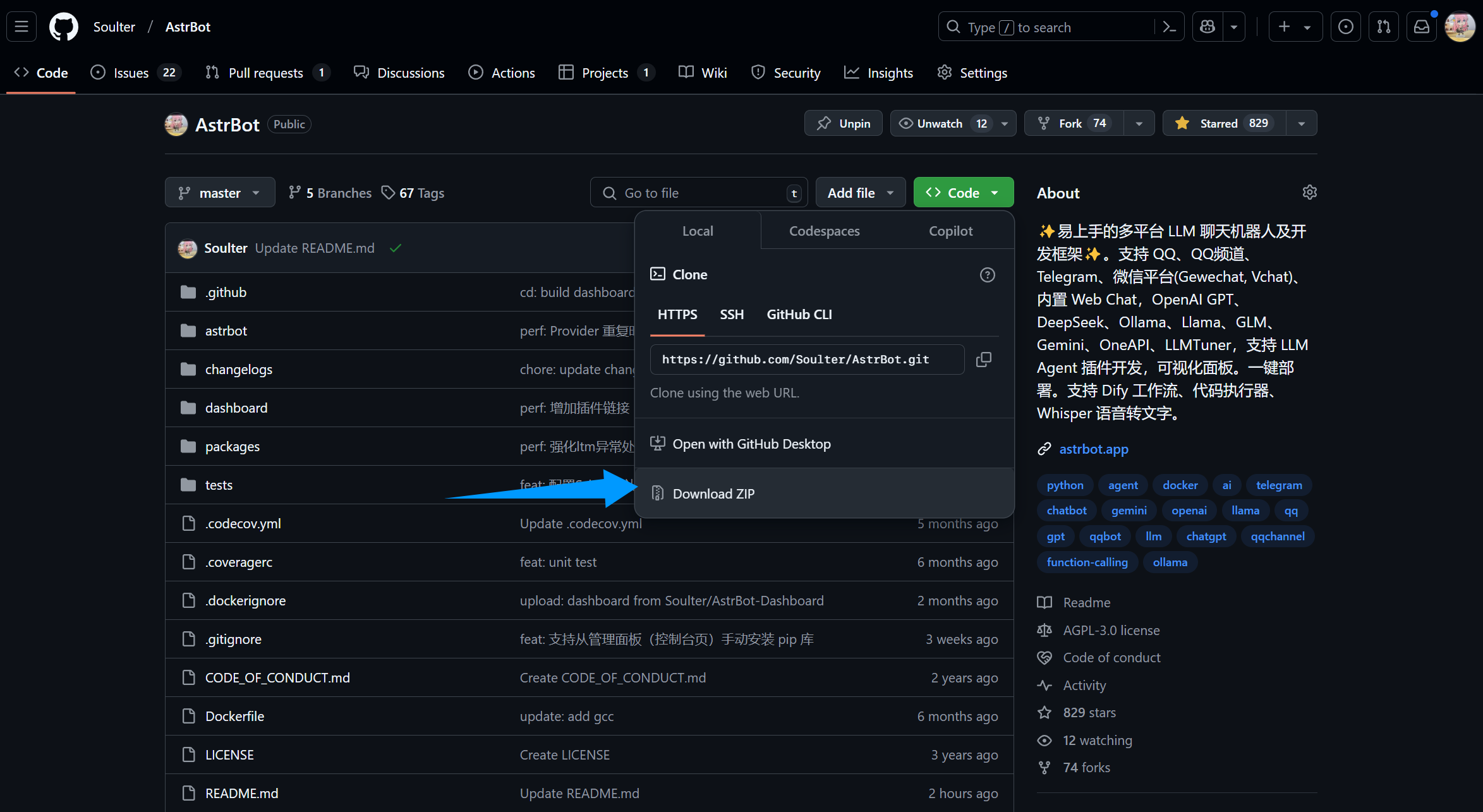
::: details 【🥳Recommended】Use uv to Manage Dependencies
If
uvis not installed, please refer to Installing uv for installation.
- Execute in terminal (in the AstrBot directory)
uv sync
uv run main.py
If you have installed some plugins, it is recommended to add the --no-sync parameter for subsequent startups to avoid reinstalling plugin dependencies. We are working on solving this issue, so stay tuned.
uv run --no-sync main.py:::
::: details Install Dependencies with Python Built-in venv
In the AstrBot source code directory, run the following command in the terminal:
If on Windows and you downloaded and extracted the source code directly, please open the extracted folder and enter in the address bar:
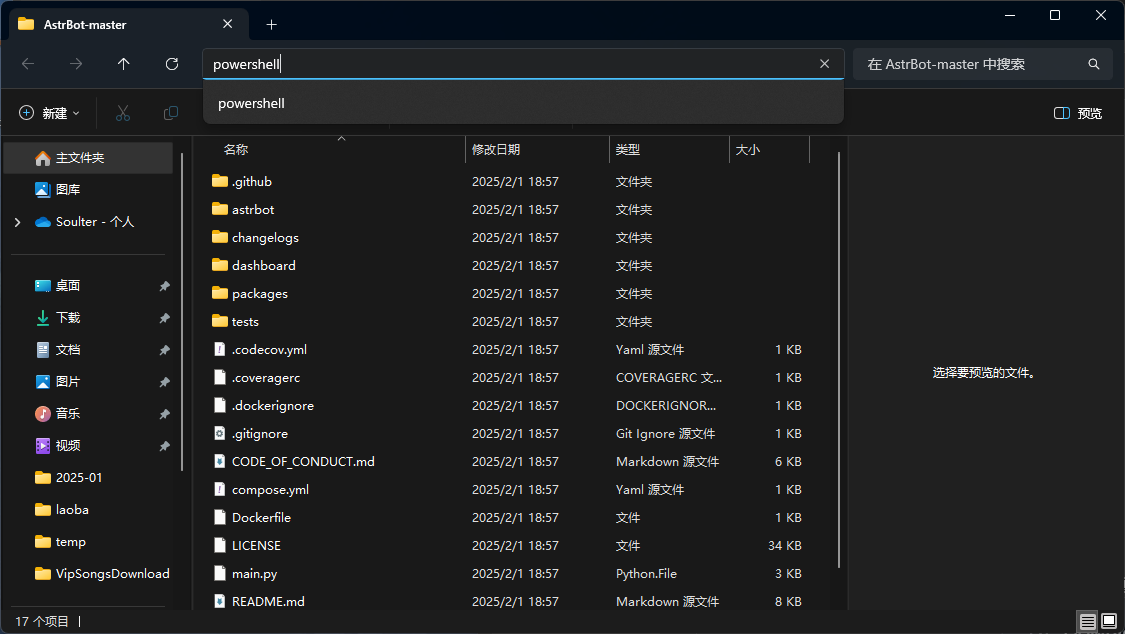
python3 -m venv ./venvIt might be
pythoninstead ofpython3
The above steps will create and activate a virtual environment (to avoid disrupting your local Python environment).
Next, install the dependencies with the following command, which may take some time:
Execute on Mac/Linux/WSL:
source venv/bin/activate
python -m pip install -r requirements.txt -i https://mirrors.tuna.tsinghua.edu.cn/pypi/web/simple
python main.py
Execute on Windows:
venv\Scripts\activate
python -m pip install -r requirements.txt -i https://mirrors.tuna.tsinghua.edu.cn/pypi/web/simple
python main.py
:::
If everything goes well, you will see logs printed by AstrBot.
If there are no errors, you will see a log message similar to 🌈 Dashboard started, accessible at with several links. Open one of the links to access the AstrBot dashboard. The link is http://localhost:6185.
Tip
If you are deploying AstrBot on a server, you need to replace localhost with your server's IP address.
The default username and password are astrbot and astrbot.
Next, you need to deploy any messaging platform to use AstrBot on that platform.